Vizard 8 » The Vizard IDE » Searching and navigation » Quick Open
8.3.1

The Quick Open dialog provides a quick way to open files within the IDE. You can access the dialog by selecting File > Quick Open... or using the Ctrl + Shift + O shortcut. Once the dialog is opened, you can start typing keywords to immediately get a filtered list of all matching filenames. Pressing the enter key on the highlighted file will close the dialog and open the file for editing.
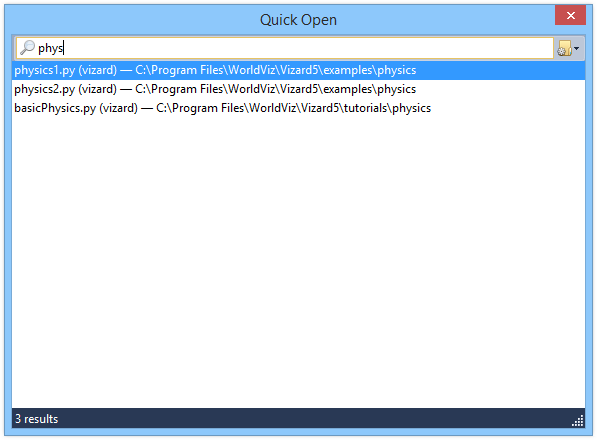
The search box supports multiple keywords for narrowing down the result list. For example, entering 'phys' would display:
physics1.py
physics2.py
basicPhysics.py
Entering 'phys ba' would display:
basicPhysics.py
The quick open dialog will search the following locations for filenames matching the entered search phrase. The results are displayed in the order they were searched:
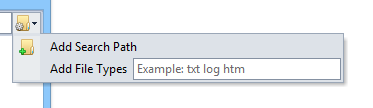
You can customize certain quick open search options by using the drop down menu in the upper right corner of the dialog.