Vizard 8 » Content Creation » 3D Models » OSG Workflow » Hierarchical Models
8.3.1

Models that you use in Vizard can have a hierarchy of sub-parts that are linked through parent/child type relationships. In these hierarchical relationships, the child object inherits the transforms of the parent.
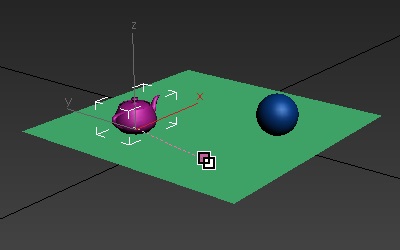
To create a link between objects in Max first click the link button
 and then drag a line from the child object to the parent
object. In the image below a line is drawn from the teapot (child) to
the plane (parent):
and then drag a line from the child object to the parent
object. In the image below a line is drawn from the teapot (child) to
the plane (parent):
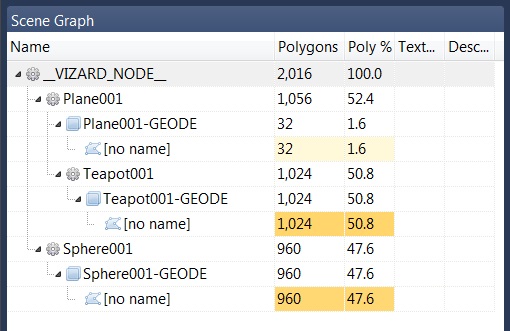
After exporting the scene from above, it's hierarchy can be browsed
using Inspector. In the following image, notice
how each sub-part has both a transform  and GEODE
  associated with it. Transforms are special OSG nodes used
to manage the hierarchy and GEODEs hold the underlying geometry.
associated with it. Transforms are special OSG nodes used
to manage the hierarchy and GEODEs hold the underlying geometry.
To get/set the position of a sub-part use the <node3d>.getTransform command. This returns a linkable object that can be used to control the transform.